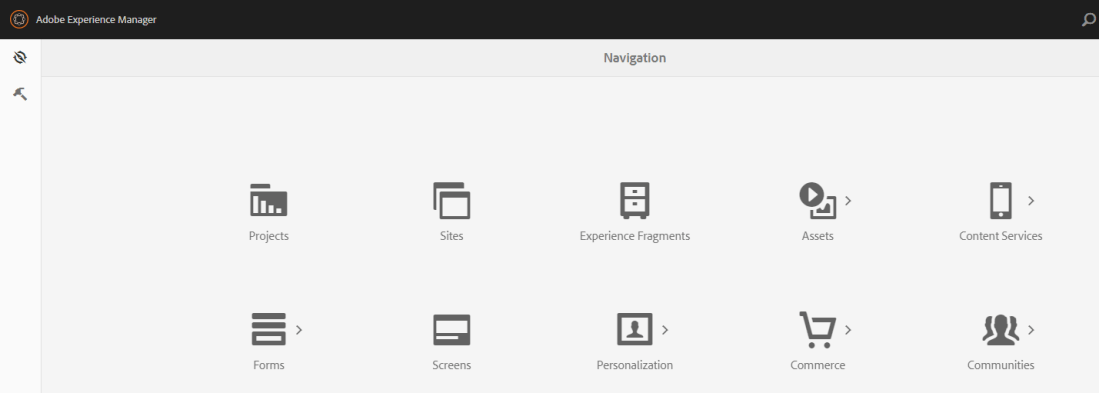
We often have to tighten the link access in AEM to limit user access to only few links, like only Sites, Experience fragments. For AEM 6.3 touch UI, if you wish to revoke access on a link in Global Navigation Panel, you will have to follow 2 steps: Revoke access on the icon that displays … Continue reading Manage access to links in Global navigation panel / Tools Menu
Enable checkbox for Metadata schema editor
OOTB checkbox is not available in AEM 6.3 metadata schema editor. But, it can be enabled and used with steps as described below. Step 1: Overlay builditems.jsp to Enable checkbox Create an /apps overlay for "/libs/dam/gui/coral/components/admin/schemaforms/formbuilder/builditems.jsp" In "/apps/dam/gui/coral/components/admin/schemaforms/formbuilder/builditems.jsp", uncomment the following snippet. It would be available between line 90-98 https://gist.github.com/aanchalsikka/ca96a8e6edba1e6cbac39171bfb6cba1 At this point, browse to a metadata … Continue reading Enable checkbox for Metadata schema editor
Customizing AEM Toolbar
Adding new action to an AEM Assets Toolbar consists of 2 steps: Configure the new action for the toolbar Add a client library to execute some operation on clicking the action. In the following example, we are adding ability to publish and unpublish assets from the Collection view. Step 1: Resolving the location of toolbar … Continue reading Customizing AEM Toolbar
cURL execution from Java program
cURL is a tool to transfer data from or to a server, using one of the supported protocols (DICT, FILE, FTP, FTPS, GOPHER, HTTP, HTTPS, IMAP, IMAPS, LDAP, LDAPS, POP3, POP3S, RTMP, RTSP, SCP, SFTP, SMB, SMBS, SMTP, SMTPS, TELNETand TFTP). The command is designed to work without user interaction. With AEM, you can use cURL commands to modify repository, download json, access OSGi information etc. Snippet to download a json … Continue reading cURL execution from Java program
